
Patent World
IP managers have to be able to understand patent and law related topics and discuss them in detail with the patent attorney, or propose argumentation for an office action.
Discover all features of Patent Cockpit here. For each feature you'll find a brief overview, a practical guide on how to use it effectively, and helpful tips for everyday work.
IP managers have to be able to understand patent and law related topics and discuss them in detail with the patent attorney, or propose argumentation for an office action.

But they also need to understand the products — how they function, how they evolve over time, and which market segments they serve, or which countries are important for those products. So it ranges from product management to R&D topics. And you have to understand the technology in depth to be able to see what can be patented, or whether the patent still holds for that product.

IP managers also need to be able to explain to their management what the costs are for, and how the IP portfolio is growing and creating value for the company.
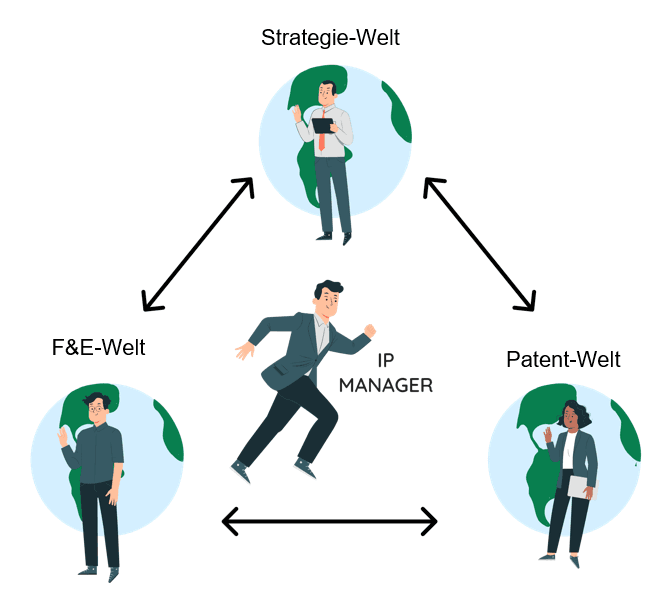
Patent Cockpit was built to gather all relevant information from totally different "worlds" and present it in an understandable way. The key is that everyone in the organization can truly understand the basis for decision-making.
Arrange regular meeting with product management, R&D, the one responsible on c-level. Also if there are no urgent topics, you will learn releavnt information.
Patent attorneys are often exceptionally good at what they do — and also fairly expensive. So avoid letting them spend time on tasks outside their area of expertise. You can ask them to focus on what they truly do best: drafting and defending patents.
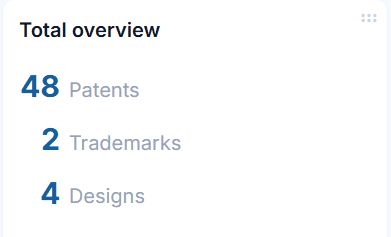
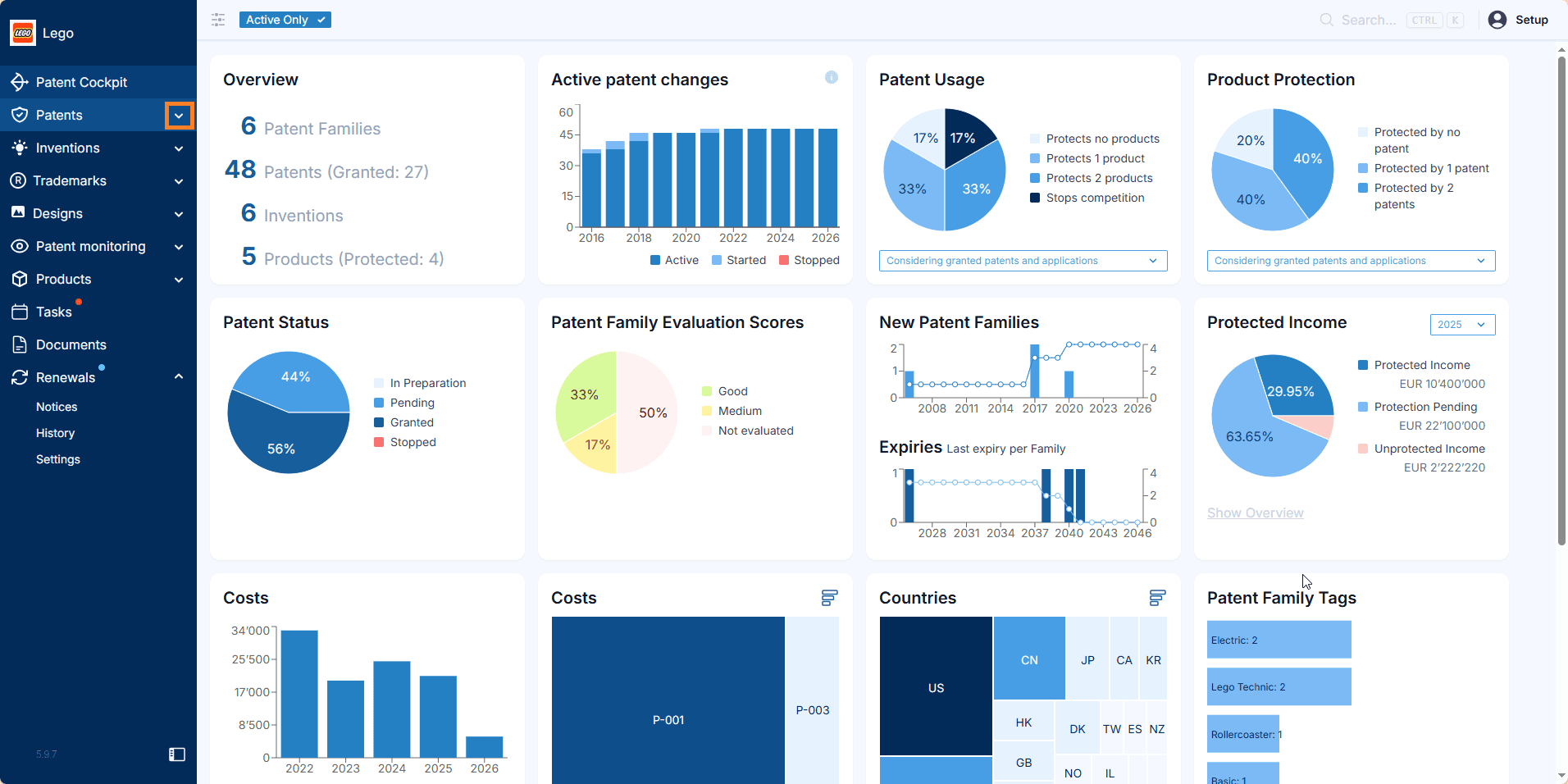
Patent Cockpit shows the IP rights that are currently in your portfolio.
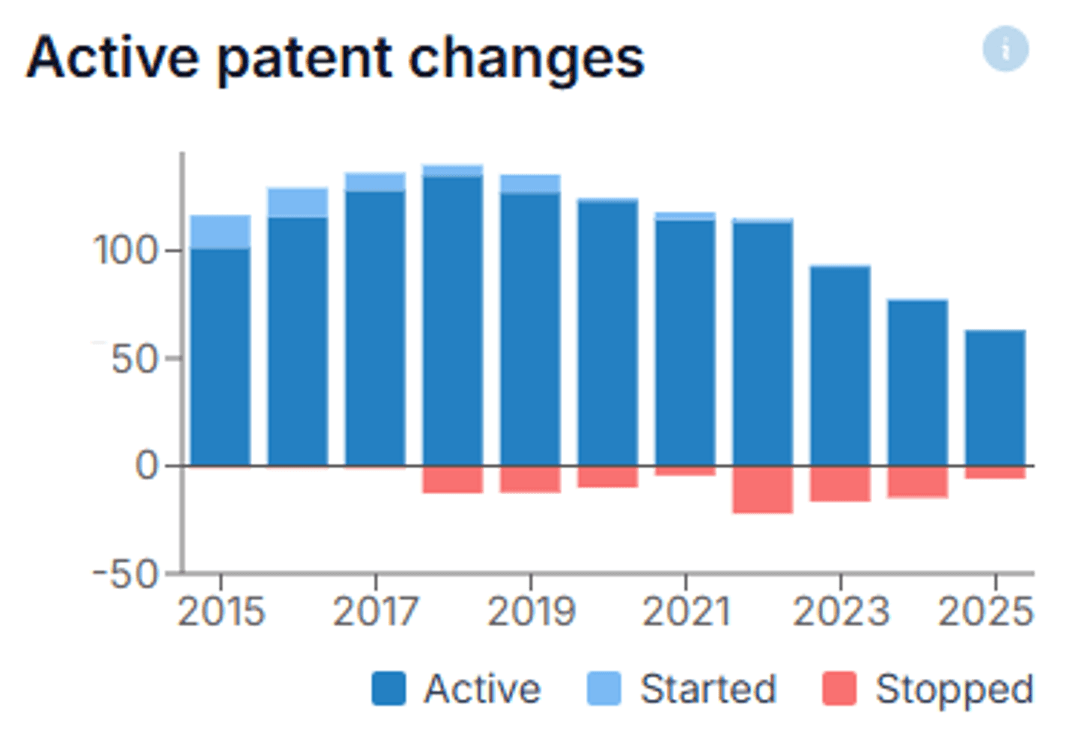
This chart shows how you arrived at your current portfolio — the new IP rights you filed, the ones you stopped, and the resulting portfolio.
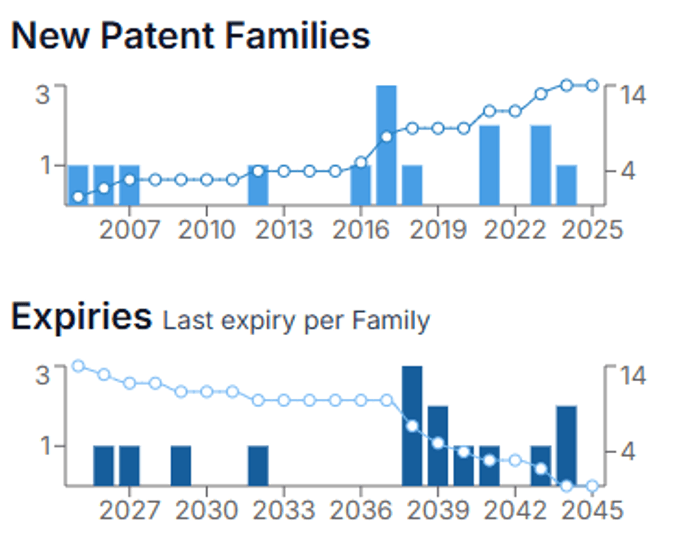
The new families chart shows when the new families were created (periods of high innovation) as well as the expiry dates of those families. The latter is, for example, critical when IP rights are licensed out or protect important products.
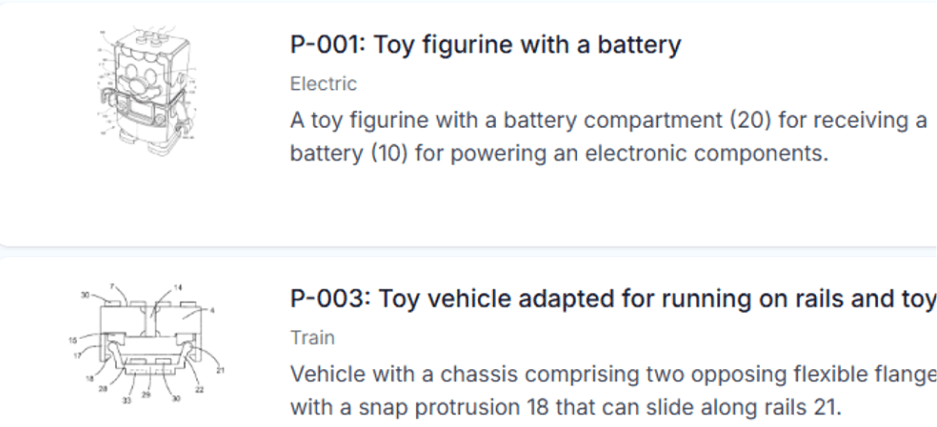
Decisions on nationalizations, renewal fee payments, evaluations, and use of resources depend on what is actually protected.
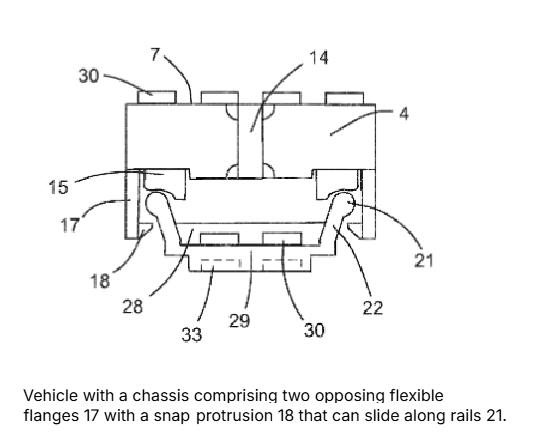
In order for everyone to truly grasp the scope of protection, we work with a representative image and a concise summary that together explain the scope of protection of patents, trademarks, or designs.
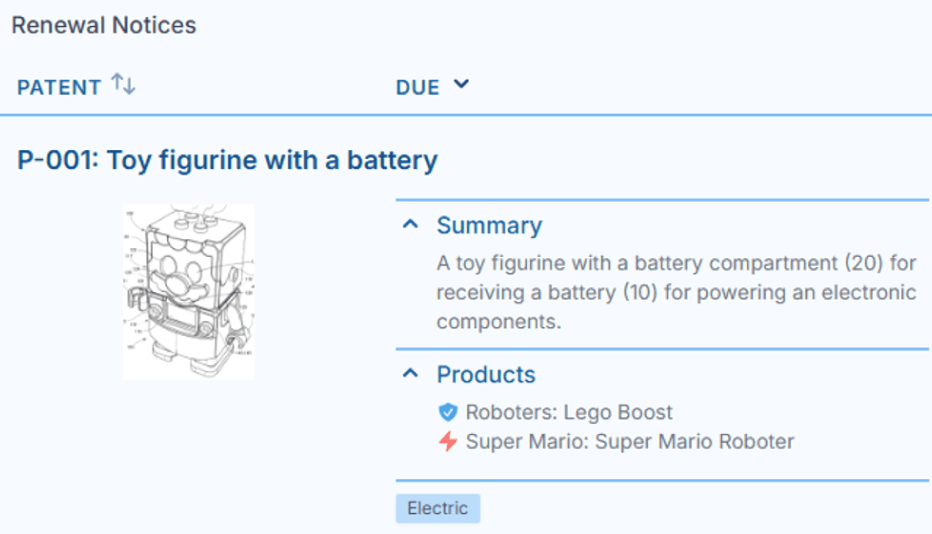
In this way anybody can understand the true protective scope in seconds, for example when taking decisions.
Summarize the true scope of protection. For patents, take the independent claims and condense them to 20-30 words. For trademarks, name the most important classes and goods and services. For designs, describe the most relevant design aspects.
Pick an image that shows what is really protected.
The summary and image are used throughout the software, for example when decisions need to be made about renewal fees.
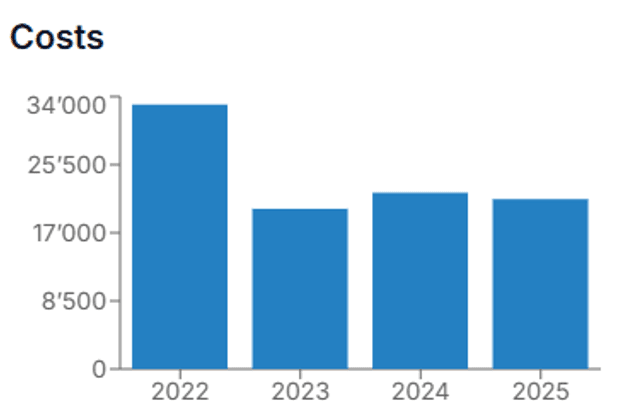
Record all IP-related costs and analyze by family, year, cost center, or other criteria to understand where the budget went.
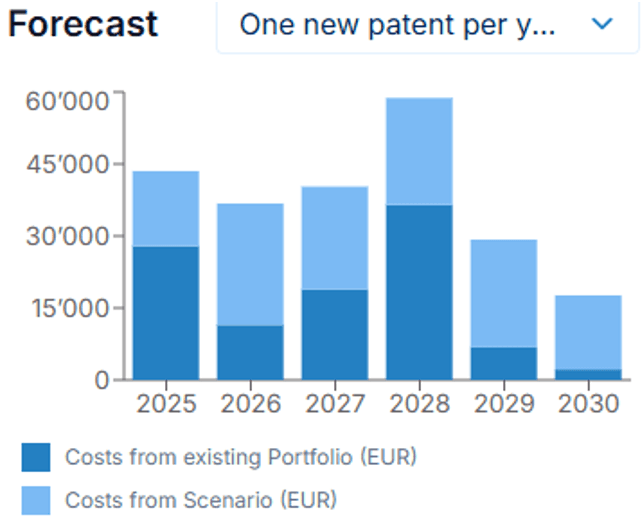
Patent Cockpit automatically forecasts your costs for the years ahead. Test different scenarios to see which one best serves your goals.
Patent Cockpit automatically shows the costs that have accumulated over the last few years, so you can see at a glance where the budget has gone.
Use the filter to focus on the data you need — by family, country, cost center, or year.
Based on the filter settings, your cost views and forecasts adapt automatically to the slice of the portfolio you are looking at.
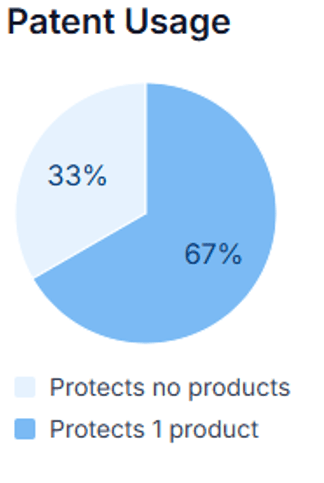
This chart shows how many of your patents are actually used.
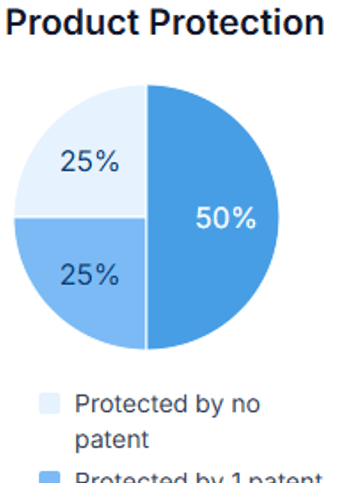
This chart shows how many of your patents are actually used.
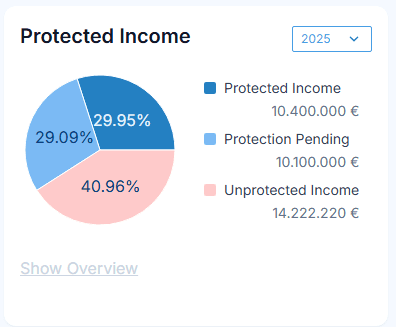
A more powerful assessment of how well patents are used is the income they protect.
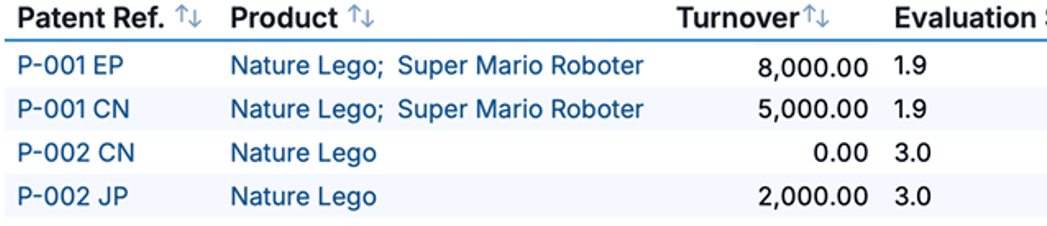
Combining an evaluation score with the protected turnover is a very good indication of the value of a patent.
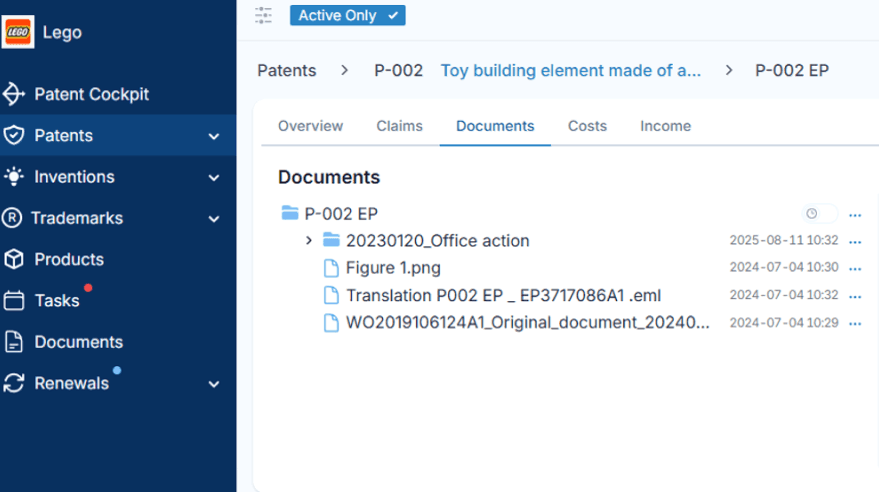
Patent Cockpit has integrated document storage and a powerful search function. Contracts, emails, drawings, and office actions can be imported with drag and drop.
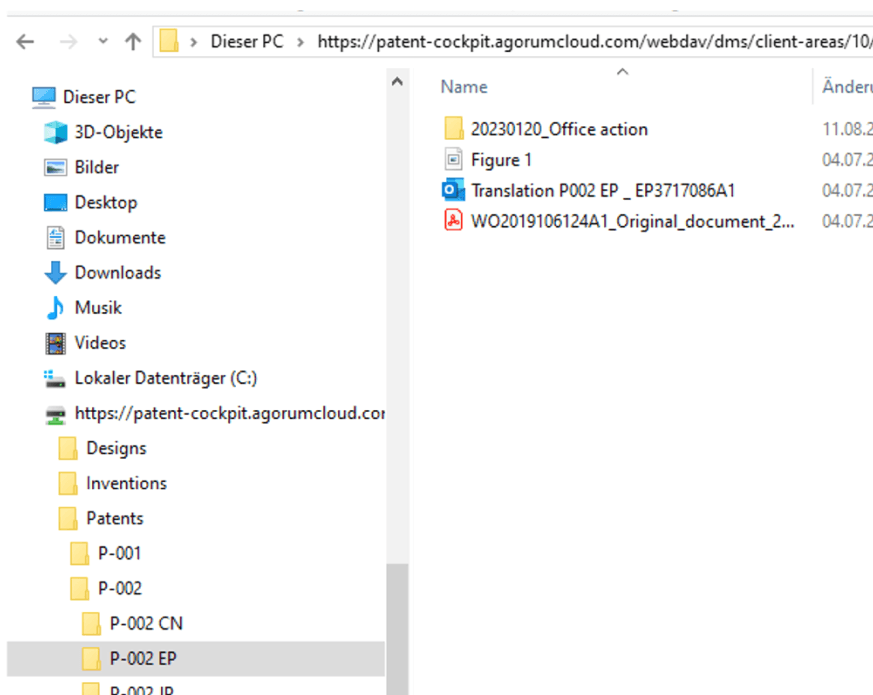
All documents are also accessible via Windows Explorer, so they can be opened, edited, and saved directly in Windows — no cumbersome check-in/check-out required.
Thanks to our partners (Dennemeyer and Patent Renewal), users typically save 100 EUR or more per maintenance fee by handling renewal fee payments directly inside Patent Cockpit. Book an appointment to learn how much you can save.
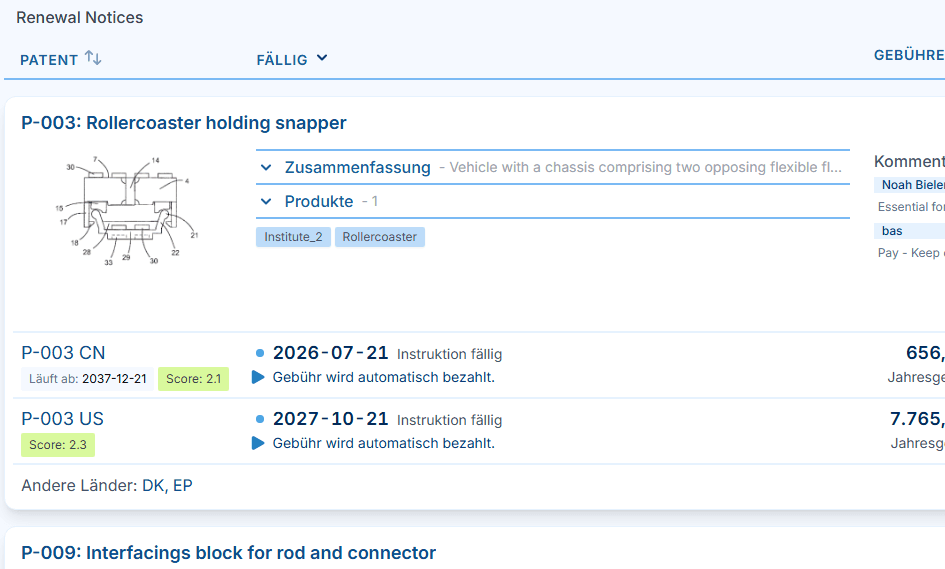
All the relevant information is displayed when decisions are made, leading to more sustainable decisions and cost savings.
Send us the list of IP rights you pay renewal fees for. We will prepare a cost estimate for the coming years so you can compare it with your current invoices and see how much you may be able to save.
Set up a regular renewal review with all relevant stakeholders. In Patent Cockpit, every renewal-relevant detail is in one place — open the renewal page during the meeting, work through the upcoming cases together, decide which fees to pay, add comments where needed, and record the decision on the spot.
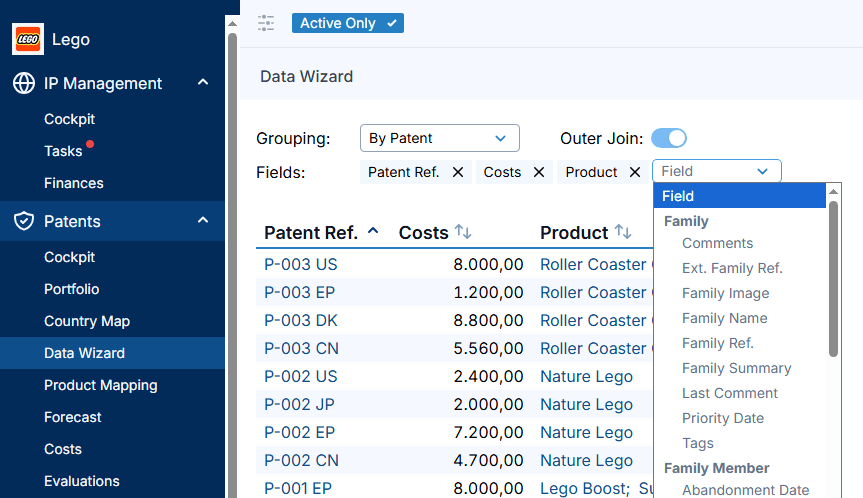
With our intuitive Data Wizard, you simply choose the fields and figures you want in your custom IP report. By applying a portfolio filter beforehand, you define precisely which IP rights, products, or business units the report covers.
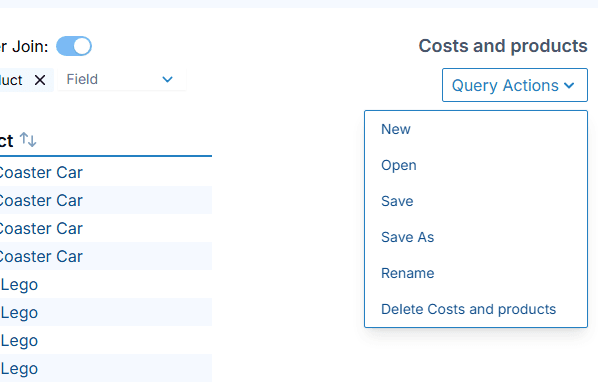
These assessments can be created and stored for later use, so you don't have to repeat the same tasks over and over again.
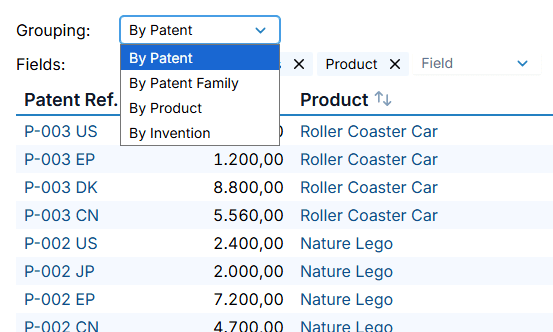
Data can be grouped by different categories depending on what you need. Grouping by product, for example, shows all data in relation to the products.
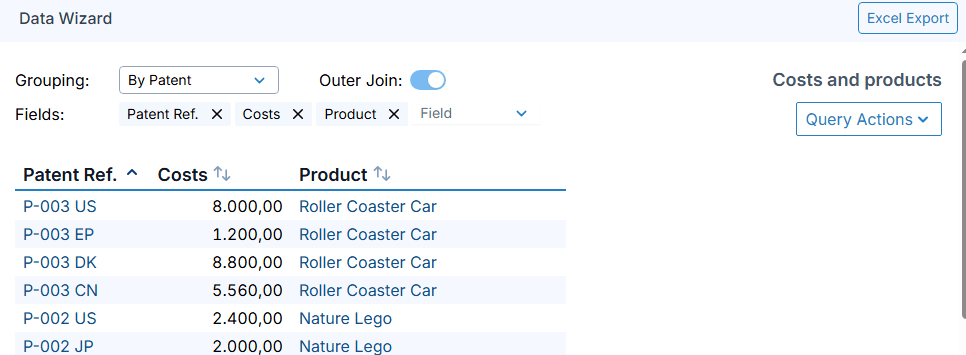
Once the assessment has been done, the results can be exported to Excel for further use or dissemination in the organization.
Before you build a report, confirm that all relevant IP data has been entered into Patent Cockpit. A report is only as accurate as the underlying portfolio.
Start a new query in the Data Wizard and pick the fields you want in your report — costs, dates, statuses, owners, or any other data you have captured.
Group by IP right for case-level detail, by patent family for a consolidated cross-country view, by product to see what each product is protected by, or by invention to follow disclosures end to end.
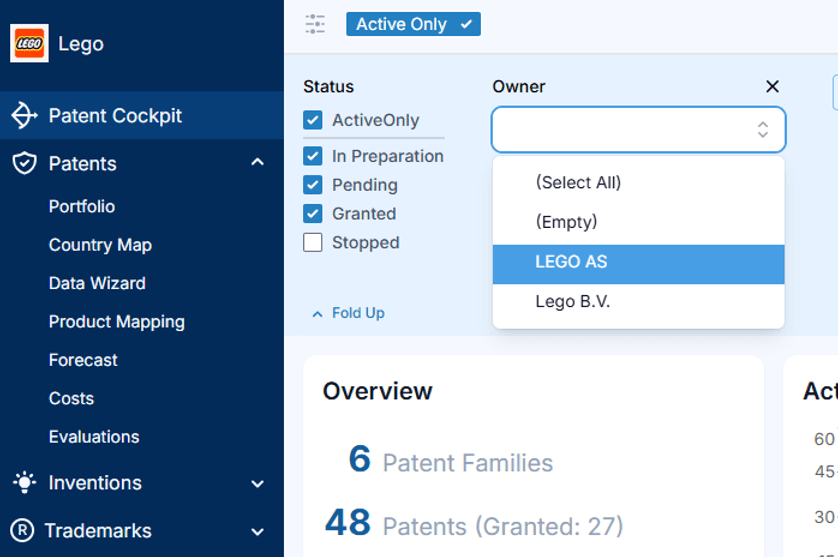
Reflect your organizational structure in the portfolio so each unit can see the IP that is relevant to them.
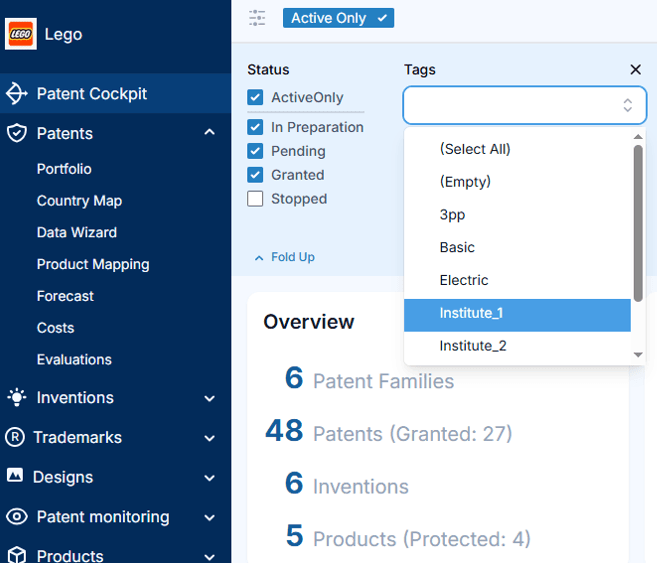
Use tags for cross-cutting topics — technologies, programs, strategic themes — that do not fit a single hierarchy.
Run costs, forecasts, and evaluations on any subgroup so decisions can be made at the right level.
Think about how you want to group your IP rights. You can set up several overlapping groupings and switch between them depending on the analysis or report you need.
Assign your IP rights to business units, departments, institutes, or other organisational entities so each team can see the IP that is relevant to them.
Group your IP rights by technical field as well — for example, distinguishing methods from devices, or electrical from mechanical components — so you can analyse your portfolio along the lines of your R&D structure.
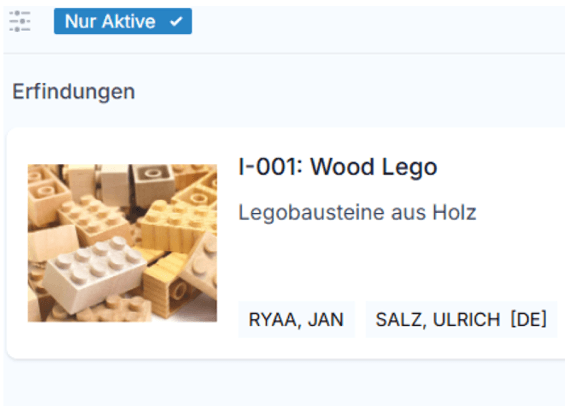
Capture invention disclosures with all the data needed for legal claiming, internal evaluation, and follow-up.
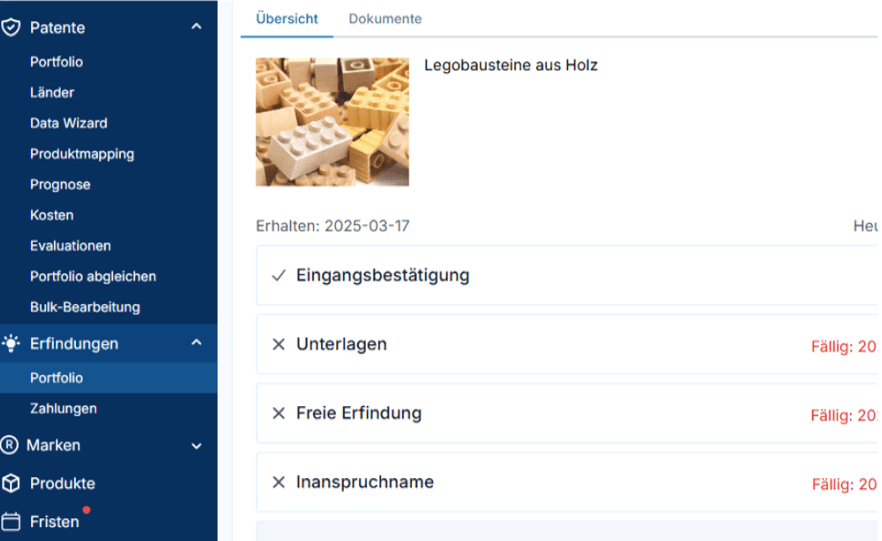
Calculate inventor compensation and participation shares, and keep the history of payments and decisions in one place.
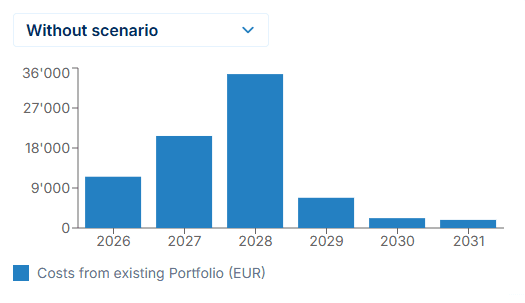
Patent Cockpit comes with an integrated forecasting tool. But since a significant part of IP management is about reacting to changing circumstances, a forecast alone is often not enough.
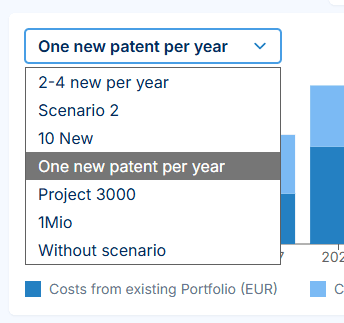
That is why users can define different scenarios and see how costs would develop under each of them over the coming years. Comparing scenarios helps you find the best way to save while keeping the best possible protection.
Choose the year your forecast should start from. The forecast always runs from 1 January through 31 December of that year.
Create multiple forecast scenarios and compare how they develop. Save them so you can revisit and refine them later.
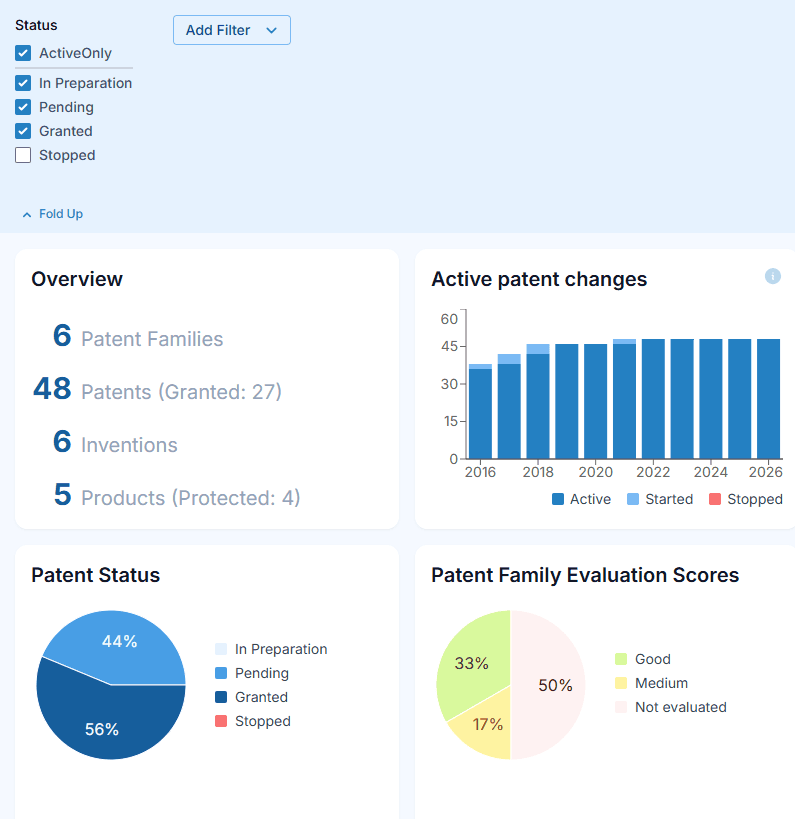
Patent Cockpit has an integrated filtering function, so that you can only work with the data that you need in that moment.
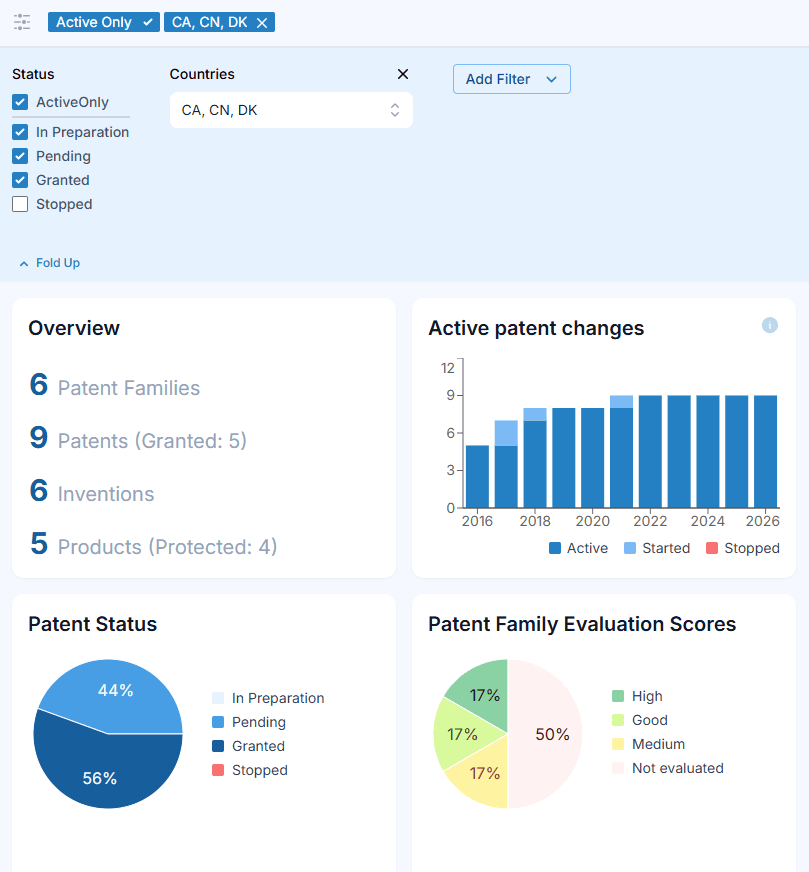
Choosing relevant countries will make Patent Cockpit work only with data from these countries.
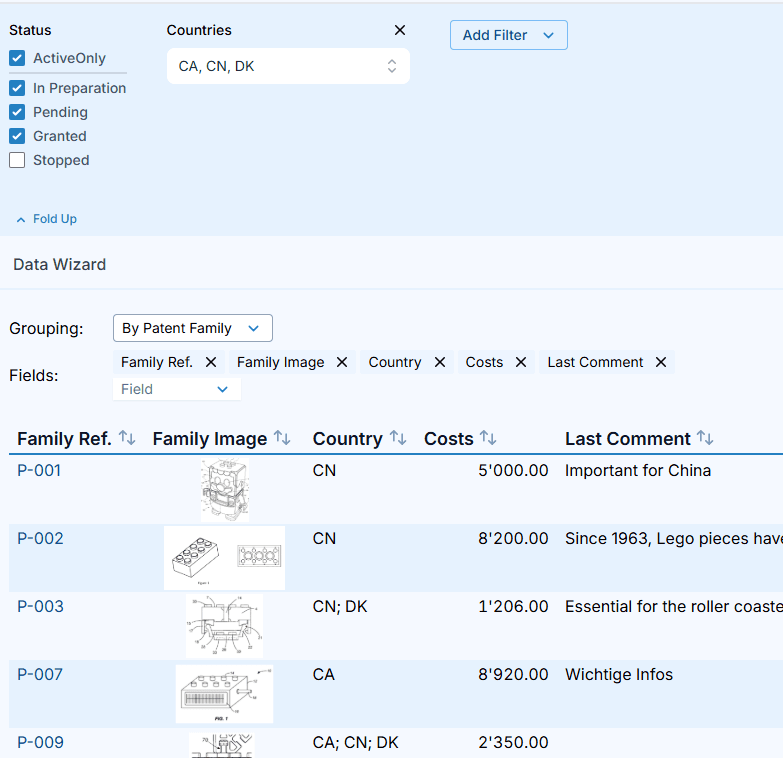
Wherever you go in Patent Cockpit, this filter will be applied. So your Cockpit charts will be up to date, as well as the data you select in your Data Wizard.
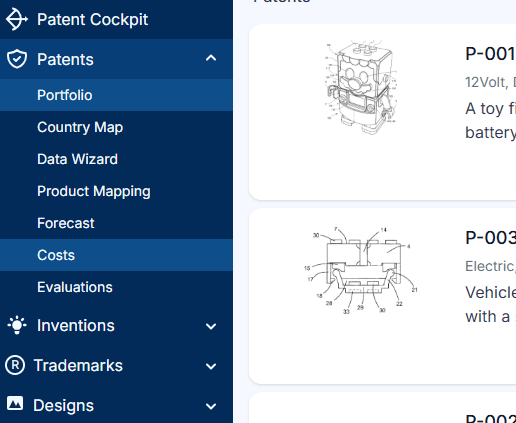
No onboarding is required. IP managers, assistants, R&D teams and business managers can use Patent Cockpit straight away.
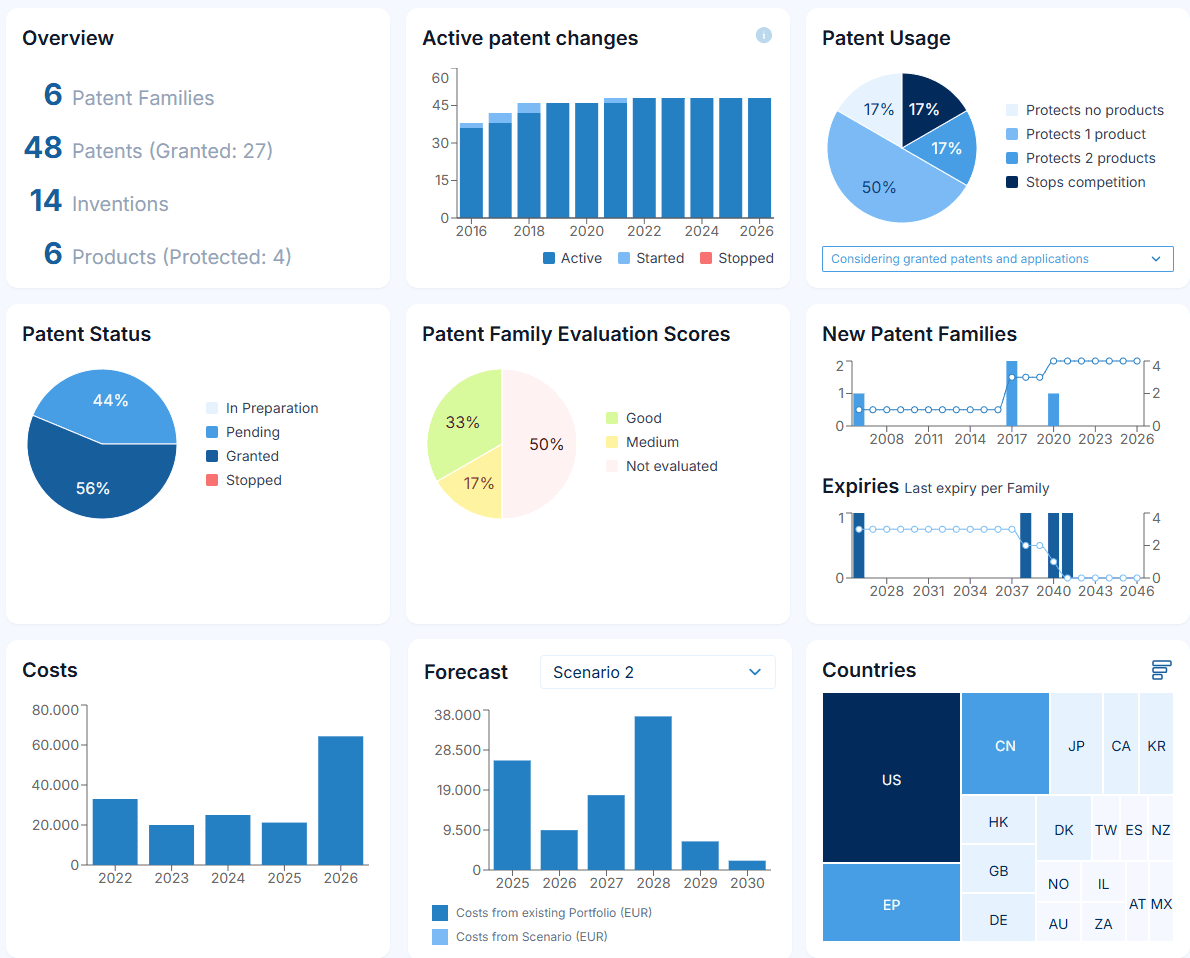
Patent Cockpit offers the functionality that IP managers need: portfolio overview, portfolio assessment tools, cost tracking, forecast and a cockpit with KPIs.
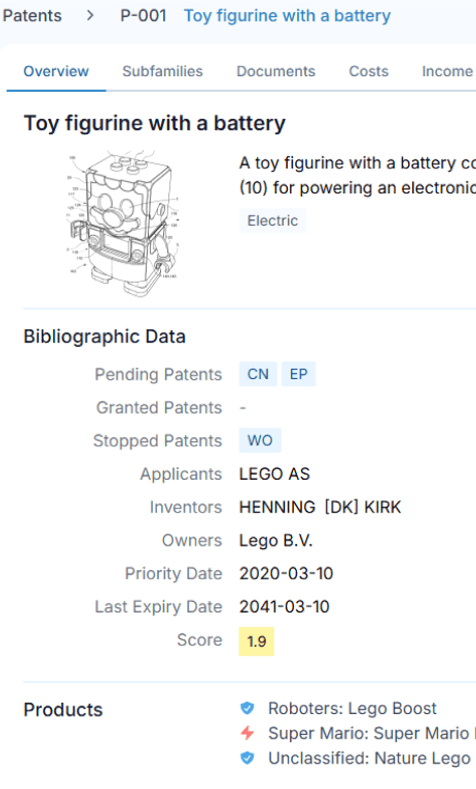
Open any IP right and the relevant context is right there: bibliographic data, documentation, costs, inventors, owners, expiry date, score, the products it protects, etc, etc.

Collecting IP data and keeping it up to date used to be a painstaking and error-prone task. Now, we have a well-designed central place for all patent data. And a potential single-point-of-failure has just vanished!

The first solution that genuinely empowers IP managers to make informed decisions while demonstrating the tangible value of effective IP management.

As R&D leader it can be hard to communicate the value of our patents to management. Patent Cockpit supports just that in an intuitive manner.

As a CEO I want to retrieve any IP information at any time, for example for investor meetings. Patent Cockpit makes this easy and it helps us to manage our patents quickly.
The Patent Cockpit is a great solution for anyone looking to transition to digital patent data management. A really good and helpful team guides you at the beginning, and the rest is simply self-explanatory and very easy to learn.

After only two hours of training, our team was able to use Patent Cockpit confidently and to its full potential.